 Connect to Wi-Fi
 For organizations
 For organizations
Visitors always safely connected.
Visitors connect automatically to Wi-Fi as soon as they enter. No vouchers, no forms — securely online right away.

Wi-Fi access for visitors doesn’t have to be a hassle
Challenges with traditional guest Wi-Fi
- Visitors asking for the password or help with logging in
- Returning visitors have to reconnect every single time
- Portals and login pages don’t work easily for everyone
- Managing guest access takes up time from the front desk or helpdesk

- Visitors sign up once and are automatically connected from then on
- No handing out passwords, no portals, no support requests
- Traffic is encrypted and there is no tracking or tracing
- Publicroam provides the helpdesk for users
What Publicroam offers visitors.
Publicroam works on your existing network. One account, and your visitors connect automatically via roaming at all participating locations. This way, you offer every visitor a pleasant and worry-free experience.

Automatically and securely connected
Visitors connect automatically via an encrypted connection.
Connect easily in 3 steps
1
Request Publicroam without obligation
Request Publicroam and receive your agreement within one business day.
2
Link your Wi-Fi network
Set up the RADIUS link with Publicroam. We will help you step by step.
3
Inform visitors and employees
Use our ready-made materials to help users get started easily.

Done!
Users connect automatically and securely at all Publicroam locations.
In which sectors is Publicroam used?
For visitors, business users, and employees with their own devices.
-

Government
-

Libraries and education
-

Healthcare, welfare & housing
-

Culture & events
-

Offices & companies
-

Sports venues
See how other companies & organizations use Publicroam
-
NS offers secure access via Publicroam for employees (BYOD) and travelers. At over 130 stations and work locations.
-

More and more guests are asking for secure internet. That is why the Antropia conference center chooses Publicroam.
-

Publicroam is a secure alternative to traditional open Wi-Fi networks.

-

Forum Groningen Library sees that secure Wi-Fi meets a real need. It fits our role as a public institution to have this well-organized.

-

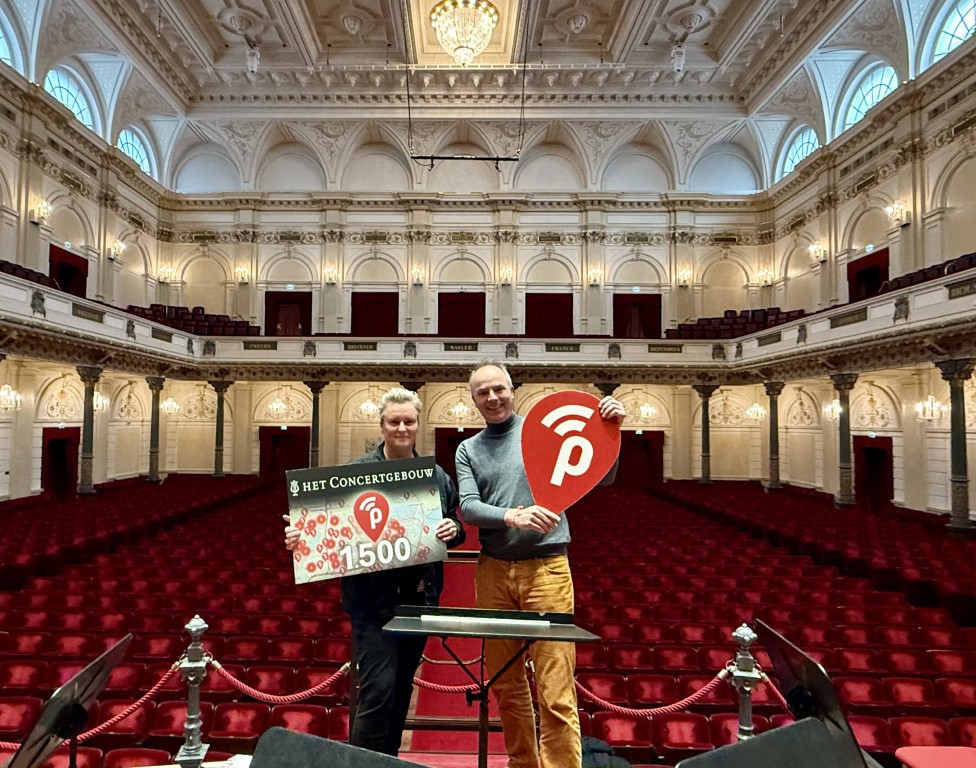
For Het Concertgebouw, the partnership with Publicroam is a logical choice – a forward-looking step that aligns with the ambition to let everyone enjoy their visit without a care.
-

Since we started using Publicroam, there haven’t been any more complaints – SSH Student Housing offers Publicroam on the Wi-Fi network for 19,000 student rooms.

Frequently asked questions
Do you have questions about Publicroam? Check out our frequently asked questions or get in touch with us. We are happy to help.
How can you connect to Publicroam?
There are three ways to create an account:
Via the app (most used)
You download the Publicroam app from the App Store or Google Play. Your smartphone will then connect to Publicroam automatically. You can connect other devices using the login details found in the app (under Menu → My account → Login details).
Via the website
You can request an account via the registration page. You will receive an SMS with your login details.
Via SMS
Send an SMS with publicroam to 0970 10 260 261. You will immediately receive an SMS with personal login details.
Do you have to log in again at every location?
No. Publicroam ensures that you connect automatically at all participating locations. Sign up once, and you are online everywhere immediately.
Why is Publicroam safe?
Publicroam uses the same security standards used on business networks, educational institutions, and government networks.
Unlike many traditional guest Wi-Fi networks, Publicroam does not work with shared passwords or unsecured open access. Every user has their own account and connects via a secure authentication method.
Publicroam uses, among other things:
- WPA2-Enterprise and WPA3-Enterprise;
- IEEE 802.1X;
- EAP authentication;
- certificate verification.
This significantly reduces the risk of misuse, fake Wi-Fi networks, and the interception of network traffic.
Users create an account once and can then connect automatically and securely at all connected Publicroam locations.
Is your data safe with Publicroam?
Yes. Publicroam is designed with privacy and security as a starting point.
- Your data is sent and stored in an encrypted format.
- Publicroam helps prevent connections to fake Wi-Fi networks.
- We only collect data that is necessary to make the service work properly.
- Personal data is not sold to third parties.
- Publicroam complies with European privacy laws (AVG/GDPR).
Do you want to know exactly which data is processed and how long it is kept? Please check our privacy statement for end users or contact us.
How much does Publicroam cost?
Organizations that offer Publicroam pay an annual participation fee and a one-time connection fee. For this, please visit the rates page. Publicroam is free for users.
Where can you use Publicroam?
Publicroam is available at 1,900+ locations at libraries, municipalities, healthcare institutions, museums, theaters, sports centers, etc. Read more about all organizations and locations on the participants page
How can my organization offer Publicroam on our Wi-Fi network?
Organizations can easily add Publicroam to their existing Wi-Fi network. On the participation website you will find all information about the possibilities, technical requirements, and the registration process.